

Inventory replenishment software should answer a simple question: what should we buy next, from whom, and by when?
Different tools cover different parts of that question. They show a low-stock alert. They calculate a reorder point. They forecast demand. They build a PO. Each is useful, but none is enough by itself.
For a retail buyer or operations lead, the evaluation job is to trace one recommendation through ordering and receiving. This guide provides a demo brief for that decision. The retail product page explains LineNow’s offering; the tests below help you assess whether a workflow fits your stock, suppliers and team.
Inventory planning or purchase order tracking: which do you need?
Before choosing software, separate a buying decision from the work needed to carry it out. An owner may describe both as an inventory problem, but they call for different demonstrations.
| The problem | What to evaluate | Evidence to request |
|---|---|---|
| We do not know what quantity to order | Inventory planning and replenishment | A recommendation explained using demand, usable stock, incoming orders and supplier constraints |
| We know what to buy but lose track after sending it | Purchase-order tracking and supplier follow-up | A changed confirmation, delivery update and outstanding balance on the same order |
| Different people disagree about what arrived | Receiving and stock records | A partial receipt recorded once at the correct location |
| The invoice and our expected cost differ | Purchasing evidence and reconciliation | The approved price, supplier message and physical receipt available for review |
A business may need several of these capabilities. Test the weakest handoff first rather than replacing a planning process that already works. The ERP and supplier-follow-up guide explains how to evaluate that boundary.
For stocked Shopify retail, follow the supplier purchasing workflow. For food service, start with ordering, receiving and counting, where purchase packs and usable ingredients need to stay connected.
Quick answer
Inventory replenishment software should recommend what to buy next, from which supplier, and by when. An evaluation should cover both the calculation and the handoffs: draft order, buyer approval, supplier response, physical receipt and the next stock review. Supplier proposals need acceptance; a confirmation is not a receipt, and finance may need several records over time rather than one final purchase record.
If you already know the problem is POS-driven reorder quantities, supplier constraints, purchase orders, receiving, and inventory updates, go directly to the inventory management software product page.
The difference between alerts and replenishment
A low-stock alert tells you something is wrong.
Replenishment software tells you what to do.
An alert can be enough if the buyer already has a reliable ordering process. A red badge on an inventory table still leaves the operator to decide quantity, supplier, timing, substitution risk, minimum order constraints, and whether an inbound shipment already covers the gap.
Good replenishment software turns sales and inventory history into a specific recommendation: order 6 cases from this supplier by Tuesday because current stock, lead time, demand volatility, and order frequency imply a stockout on Friday.
An estimated revenue-at-risk signal can help prioritize review. Check its assumptions: sales exposure is not profit, and incoming quantity does not establish whether a delivery arrives before stock runs out.
The inputs that matter
Current inventory
The system needs a current estimate of on-hand inventory. This can come from POS sync, receiving, counts, adjustments, production usage, recipe consumption, and order history.
Current inventory is not always a perfect number. Ask how the software exposes stale counts, missing sales and other data gaps before relying on its estimate.
Consumption rate
Consumption rate is how fast an item is used or sold. It is the backbone of replenishment math.
For retailers, consumption usually comes from item-level Shopify or Square sales. For restaurants, it comes from menu sales translated through recipes. For manufacturers, it comes from BOM usage and production runs. For dropshippers, it comes from customer demand routed to suppliers.
We define the concept in detail here: Consumption Rate: Definition and How to Measure It.
Lead time
Lead time is how long the supplier takes to deliver after the order is placed.
A product that sells 10 units per day needs very different replenishment behavior if lead time is 1 day versus 14 days. Ask whether observed delivery history changes the lead-time setting automatically, proposes a change for review or simply remains available for the buyer to inspect. A promised date and an actual arrival measure different things.
Safety stock
Safety stock is the buffer against demand and lead-time variability.
If demand is steady and lead time is reliable, safety stock can be small. If demand is lumpy or suppliers often slip, evaluate the buffer and alternatives against the cost of shortages, holding stock and spoilage. More stock is not always feasible or sufficient. The math is covered in Safety Stock: How to Size It Statistically.
Order frequency
Some businesses order daily. Some order weekly. Some order monthly. Some order whenever a supplier minimum is met.
Confirm who sets the review interval and how holidays, delivery calendars and supplier cutoffs affect it. If the system infers an interval, ask to see the history and how to override it.
Decay and shrinkage
Perishable inventory needs actual lot-life, storage and waste information. A decay model may support planning, but it does not establish safety, authorize use or extend an expiry date. Milk, produce, baked goods, and prepared ingredients cannot be treated like non-perishable retail SKUs.
This is where restaurant and cafe replenishment differs from generic inventory software. A good system knows that over-ordering perishables is not just carrying cost; it is waste. See Decay Rate: Modeling Spoilage and Shrinkage.
Supplier constraints
Suppliers shape replenishment. Minimum order quantities, case packs, delivery days, substitutions, partial fills, and price changes all matter.
This is why replenishment software cannot stop at a forecast. The recommendation has to survive contact with the supplier.
The formulas behind replenishment
Most replenishment systems are variations on a few core ideas:
Reorder point: consumption rate x lead time + safety stock.
Periodic-review order-up-to target: expected demand over the review interval plus replenishment lead time, with an appropriate buffer. Teams often call their operational target a PAR level; confirm what time horizon it represents. You can run the numbers for your own items with the free PAR level calculator.
Economic order quantity: the theoretical quantity that minimizes ordering and carrying costs.
These formulas are useful, but real operations add constraints: supplier minimums, unreliable lead times, volatile demand, partial shipments, substitutions, and perishability.
The APICS safety-stock guide explains why buffer calculations depend on variability and service assumptions. A formula does not guarantee availability. Review the assumptions before treating a recommendation as an order.
Why forecasting alone is not enough
Forecasting apps are helpful when the main problem is "how much demand will I have?"
Even with a useful forecast, execution can fail when:
- the supplier changed the case pack
- the invoice price changed
- the item was substituted
- the delivery came short
- the operator forgot to update inventory
- the forecast was right but the PO was sent late
- the supplier reply stayed in one person's inbox
If the system predicts demand but does not close the order loop, the operator still becomes the integration layer.
LineNow's view is that replenishment belongs inside closed-loop procurement, not beside it.
What closed-loop replenishment looks like
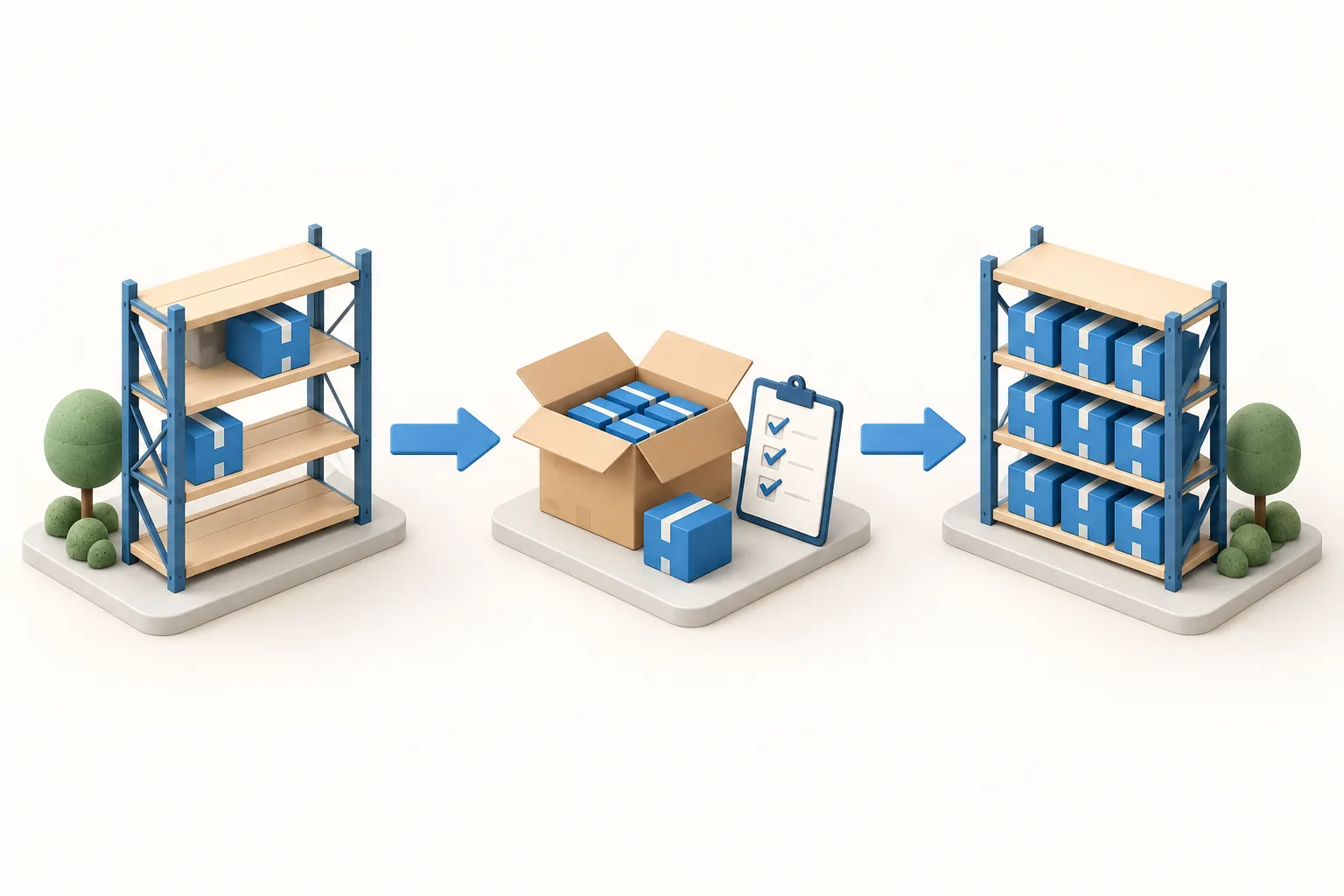
Illustrative restocking sequence, not a product screenshot. Before placing another order, review stock already on its way; after receiving, use the updated count and outstanding quantities to plan the next purchase. See the replenishment workflow.
A closed-loop replenishment system works like this:
- POS, order, recipe, or BOM data updates demand.
- Inventory metrics refresh.
- The system recommends what to order.
- The operator reviews and sends the PO.
- The supplier responds through the agreed channel; confirm which email or portal handoffs the chosen implementation supports.
- AI can extract supported supplier replies for order review; the buyer controls acceptance of commercial changes.
- Receiving updates inventory.
- Finance receives the agreed connector records and supporting context, subject to bill review and reconciliation.
- Review the next recommendation against the updated records and any remaining data gaps.
The system is no longer a dashboard. It is the buying loop.
Evaluation checklist
When comparing inventory replenishment software, ask:
- Does it calculate recommendations from actual sales or usage?
- Does it handle lead time, safety stock, order frequency, and decay?
- Does it support retail, restaurant, dropship, and manufacturing shapes if your business crosses categories?
- Does it build POs directly from recommendations?
- Does it track inbound inventory and partial shipments?
- Does it read supplier replies into reviewable order updates?
- Does receiving feed the next recommendation?
- Which order, receipt, invoice and adjustment records reach finance, and who reviews exceptions?
Choose the scope you need. A planning tool can work alongside an existing purchasing system if quantities, identifiers, dates and exceptions pass reliably between them. Demonstrate that handoff instead of requiring every capability to live in one product.
Replenishment software by business model
Different operators need the same closed loop, but the inputs change by business model.
| Business model | Primary demand signal | Replenishment complication |
|---|---|---|
| Shopify or ecommerce | SKU sales, open orders, returns, marketplace demand | supplier lead time, purchase planning, 3PL receiving, partial shipments |
| Specialty retail | POS sales, store counts, seasonal demand, central warehouse demand | pack sizes, supplier minimums, multi-location transfer timing |
| Restaurant or cafe | menu sales translated through recipes, prep usage, waste | perishability, yield, substitutions, catchweight items, delivery days |
| Dropshipping | customer orders routed to suppliers | supplier fulfillment status, tracking numbers, cancellations, multi-supplier routing |
| Light manufacturing | BOM demand, production schedule, component inventory | component constraints, lead-time variability, substitutions, work-in-progress |
This is why a generic "low stock" rule is not enough. The same current quantity can mean different things depending on lead time, usage pattern, supplier behavior, and whether incoming inventory is already confirmed.
Replenishment mistakes that create stockouts
Stockouts can result from weak inputs, unexpected demand, supplier disruption or a failure to execute a sound plan.
Common failure patterns:
- reorder point is correct, but nobody sends the PO on time
- PO is sent, but the supplier shorts the order and the system does not learn
- incoming quantity is counted twice because a partial shipment is not reconciled
- supplier lead time changed, but the reorder rule still uses the old estimate
- demand shifted from smooth to erratic, but safety stock did not change
- perishable items are replenished like non-perishable SKUs
- the forecast is right, but the supplier MOQ forces over-ordering
- accounting cost differs from purchase cost because freight or fees are missing
Record these exceptions so buyers can review their causes. A recorded shortage or late delivery does not prove a model has learned from it: ask which inputs change, when they change and who approves them.
What to look for in a demo
Do not evaluate replenishment software only from the dashboard. Ask the vendor to show the full path from demand to received inventory.
The demo should answer:
- Where does demand enter the system?
- How does the recommendation explain lead time, safety stock, order frequency, and inbound inventory?
- Can the operator review and edit the suggested PO?
- How does the PO reach the supplier?
- What happens when the supplier changes quantity, price, ETA, or substitution?
- How is partial receiving handled?
- Does the next recommendation use the supplier-confirmed and received state?
- What exactly goes to accounting?
If these steps run in another system, include that system in the demonstration. Decide who owns the handoff and how the team recovers from a missing or duplicate update.
Metrics to monitor
Establish a baseline and compare equivalent items, locations and periods after rollout. Monitor:
- stockouts by cause
- days of inventory on hand by SKU
- fill rate for A-items
- emergency orders
- supplier lead-time variance
- forecast override rate
- receiving variance rate
- dead stock and over-ordering
- gross margin pressure from supplier price changes
- buyer time spent turning alerts into POs
The useful dashboard is not the one with the most charts. It is the one that shows where buying action is needed and carries the action all the way through supplier execution.
A worked demo: enough incoming stock, but too late
Use this fictional retail SKU to test timing as well as quantity:
| Input | Demo value |
|---|---|
| Usable stock now | 30 units |
| Expected demand | 6 units per day |
| Existing incoming order | 24 units, due on day 7 |
| Review interval and lead time for new orders | 7 days plus 3 days |
| Illustrative buffer | 12 units |
| Purchase pack | 12 units per case |
The ten-day target is 6 × (7 + 3) + 12 = 72 units. Aggregate inventory position is 30 + 24 = 54, assuming no other commitments. The target gap is 18 units, rounded to two cases, or 24 units. This is an illustrative periodic-review policy, not a claim about every software product’s formula.
Now change the proposed new order’s arrival to day 8. Current stock lasts five days at the assumed rate, while the existing shipment is due on day 7. Neither counting all incoming stock nor ordering two more cases proves that this early gap is covered. Ask the vendor to show the dated supply timeline, or identify the manual review needed to arrange a transfer, expedite or alternative.
Then have the supplier offer only one case of the new order. Keep requested quantity, accepted quantity and the outstanding decision visible. Receive ten units against an accepted twelve-unit case: ten units arrived and two remain unresolved. A message or invoice for twelve must not create a twelve-unit physical receipt.
Where LineNow fits
LineNow connects replenishment review with purchase orders, supplier follow-up and receiving. Its Forecast & Reorder coverage calculation accounts for incoming purchase and transfer quantities; draft carts are not committed incoming stock. That aggregate calculation does not itself establish arrival-date coverage. Review delivery timing before relying on incoming stock to cover a shortage.
Use the replenishment workflow to scope the demand sources, item mappings, review controls and receiving process for your business. Agree which system owns stock and financial records, which events move between systems and how duplicates or failed updates are resolved.
Ask for the worked example above in a demo, including the changed supplier response and partial receipt. Confirm connector and implementation scope in current pricing.
Related
- PAR Level: Definition, Formula, and How to Calculate It
- Reorder Point: Formula and How to Calculate
- Safety Stock: How to Size It Statistically
- Revenue at Risk in Forecast & Reorder: Formula and Limits
- Purchase Order Automation Software
- Three-Way Matching vs. Living POs
- Procurement for Specialty Retailers
Still turning low-stock alerts into POs by hand? Book a demo and confirm connector, add-on and trial scope in current pricing.
Test the next order, not just the recommendation
Open the fictional retail receiving example to inspect how an incomplete delivery leaves stock still due. It is a sample workflow, not a live inventory update. For a replenishment demo, ask to trace a recommendation into a supplier order, a changed confirmation and a receipt, then inspect the information available at the next buying review.